Business Workflow Automation That Does the Busywork for You.
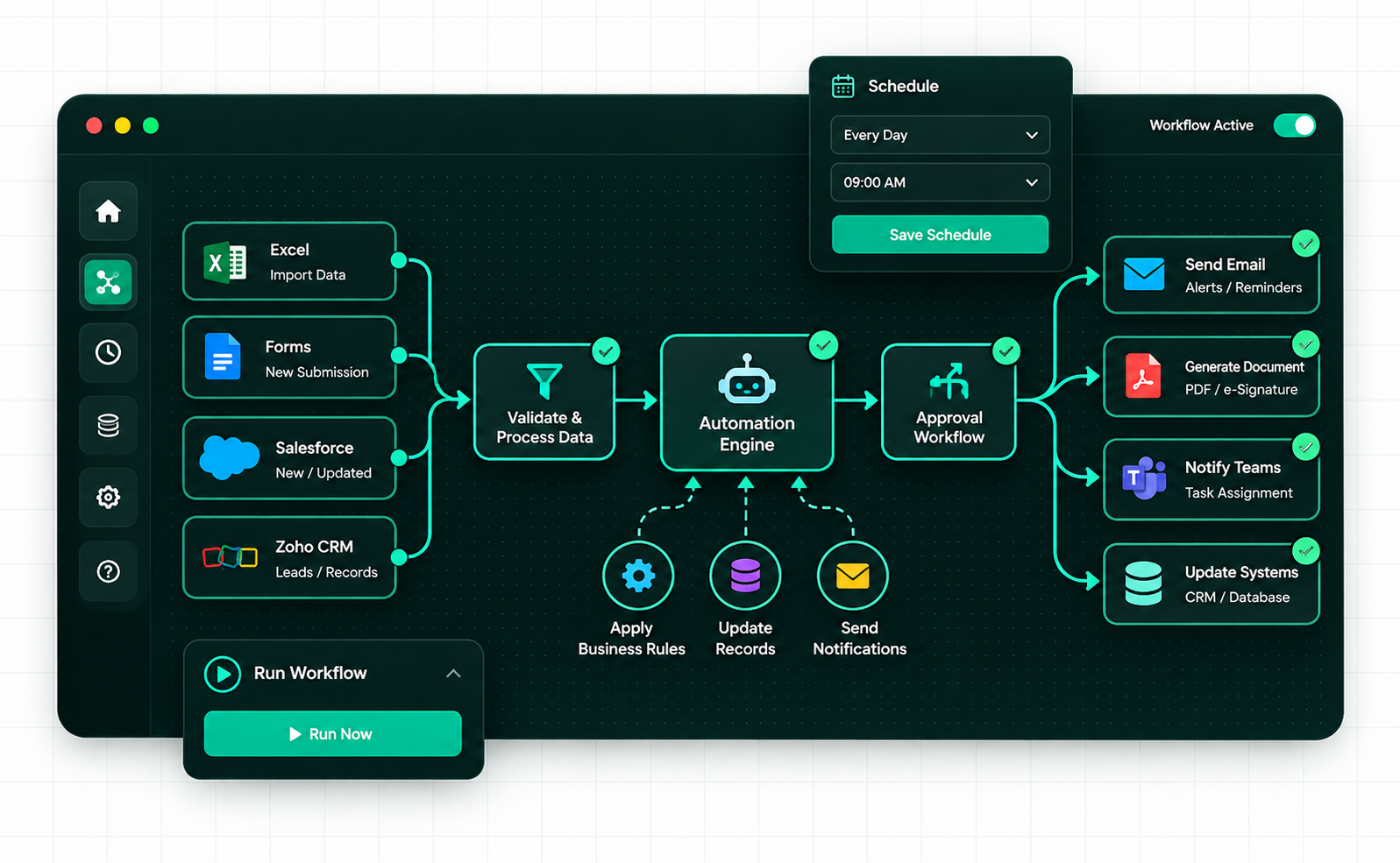
Connect your business apps, automate repetitive tasks, streamline approvals, and eliminate manual data entry. We design, build, integrate, and maintain automation solutions using Microsoft Power Platform, Zoho, n8n, and custom development.
18+ years of experience·50+ automations running·Ongoing maintenance & support
WORKFLOW AUTOMATION/DIGITAL TRANSFORMATION/CUSTOM SOLUTIONS/ONGOING SUPPORT
// OUR APPROACH
Automation That Works the Way Your Business Works
We connect the tools your team already uses, streamline repetitive tasks, and build workflows around your actual business processes. From low-code platforms to custom integrations, we help you automate practical tasks without adding unnecessary complexity.
We work with n8n, Zoho, Microsoft Power Platform, and custom code to find an approach that fits your workflow, existing systems, and budget. Where appropriate, self-hosted and open-source tools can help reduce recurring platform costs.
Integrate the Tools You Already Use
Connect Microsoft 365, SharePoint, Teams, Outlook, Zoho CRM, and other business applications to reduce manual data entry, coordinate approvals, and keep information moving between systems.
Reliable Workflows. Ongoing Support.
We build in appropriate error handling, logging, and alerts to help you identify failed steps and investigate issues. We can also maintain and improve your automations as your business processes evolve.
// OUR AUTOMATION CAPABILITIES
Automation Solutions Built Around Your Business
From connecting existing business software to building custom workflows, we help businesses reduce manual work, streamline processes, and make their applications work together. We select the right tools for your needs, budget, and existing systems.
Business Process Automation
Automate approvals, notifications, data entry, reporting, and repetitive business tasks. We build workflows around your existing processes using Microsoft Power Platform, Zoho, and other suitable automation tools.
Power AutomatePower AppsZohoMicrosoft 365SharePointTeams
Connect CRMs, databases, accounting systems, web applications, and APIs to move information between systems with less manual effort. We develop custom integrations and self-hosted workflows using the tools that best fit your requirements.
Streamline document generation, form processing, signature requests, approval routing, and record updates. Integrate e-signatures and document workflows into your existing applications to reduce repetitive administration.
From Manual Processes to Working Automation in Four Steps
We understand how your business operates, identify opportunities to reduce repetitive work, and build and test automation around your existing systems. You get a clear implementation plan, a tested solution, and support after launch.
01
Understand Your Workflow
We review your current processes, identify repetitive tasks and bottlenecks, and understand the applications, data, and business rules involved.
02
Plan the Right Solution
We define the workflow, integrations, automation rules, and error-handling requirements. We recommend a practical approach based on your needs, existing software, and budget.
03
Build, Integrate & Test
We configure automation tools or develop custom integrations, then test key scenarios, data handling, and failure cases to help ensure the workflow behaves as expected.
04
Launch & Support
We deploy the solution, help your team get started, and provide documentation and handover. Ongoing monitoring, maintenance, and enhancements can be arranged to suit your requirements.
Microsoft Power AutomateM365 CopilotOutlook Graph API
Engineered an automated Microsoft 365 workflow using Power Automate and Copilot to assist with email drafting, meeting scheduling, and calendar time blocking.
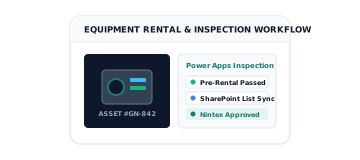
Microsoft Power AppsSharePoint ListsNintex Workflows
Used Power Apps, SharePoint, and Nintex to organize generator rental records, safety inspections, approvals, PDF generation, and automated notifications.
Find out how business automation works, which systems we can connect, what implementation involves, and how your workflows are supported over time.
We automate repetitive tasks such as data entry, lead processing, invoice workflows, document generation, email notifications, approvals, reporting, and updates between business systems. We first understand your existing process and identify where automation can save time and reduce manual effort.
In many cases, yes. We integrate business applications using available APIs, webhooks, built-in connectors, and custom development. Depending on your systems, this may include Microsoft 365, Zoho, Odoo, CRMs, accounting software, databases, and web applications. Integration feasibility depends on the access and capabilities each system provides.
Not necessarily. We aim to work with your current systems wherever practical. We assess how your tools exchange data and whether automation can be added through existing integrations, APIs, or other suitable methods before recommending any software changes.
Costs depend on the number of workflows, systems involved, complexity, and ongoing support required. A straightforward automation may need much less effort than a multi-system process with custom business rules. After reviewing your requirements, we can recommend an appropriate approach and provide a scoped estimate.
We can build appropriate error handling, execution logs, alerts, and retry mechanisms into workflows where supported. These measures help identify failed steps and resolve issues without relying entirely on manual monitoring. Recovery options depend on the systems involved and the nature of the failure.
We offer ongoing maintenance and support, including troubleshooting, workflow updates, and adjustments when business processes or connected systems change. We can discuss the appropriate support arrangement during project scoping so responsibilities are clear after launch.
Yes. We can design workflows with future changes in mind and extend them as your needs evolve. Depending on the platform and implementation, your team may be able to adjust certain steps independently, while more complex changes may require our assistance.
Security depends on the systems, hosting environment, permissions, and data being processed. We consider access controls, credential management, secure data transfer, and appropriate logging during implementation. Specific security requirements should be agreed upon for each project.